
Stop Autoplay — video and sound only on click
Стоп автозапуску — видео и звук по клику
Стоп автозапуску — видео и звук по клику
Videos and sound on websites don't start by themselves, muted ads included. Only what you click plays. Video calls keep working.
| Firefox | stop-autoplay |
|---|---|
| Firefox id | autoplay-stop@dmitryq |
| Permissions |
|
| Optional | none |
| Optional sites | none |
| Runs on |
|
| Firefox data collection | {"required": ["none"]} |
Screenshots from the store materials.
Text from the Firefox Add-ons page.
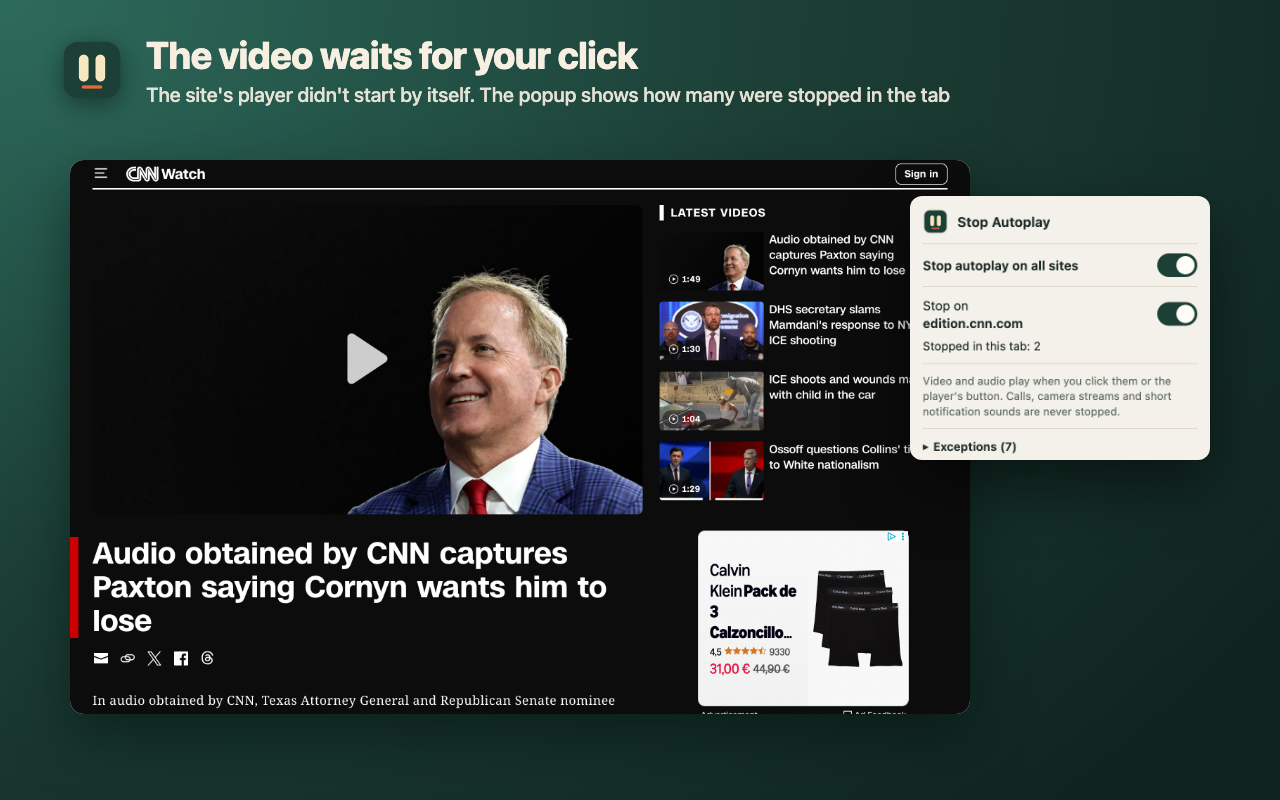
Videos and sound on websites stop starting by themselves. News clips, in-article ads, embedded players and background music wait until you press play. Click, and it plays at once.

WHAT IT STOPS
• Video and audio a site starts without your click, tap or key — with sound or muted. Muted clips and video ads in feeds wait too.
• Players in embedded frames (YouTube and other embeds), ads in blank ad frames, video inside Shadow DOM, background music a page starts from a script.
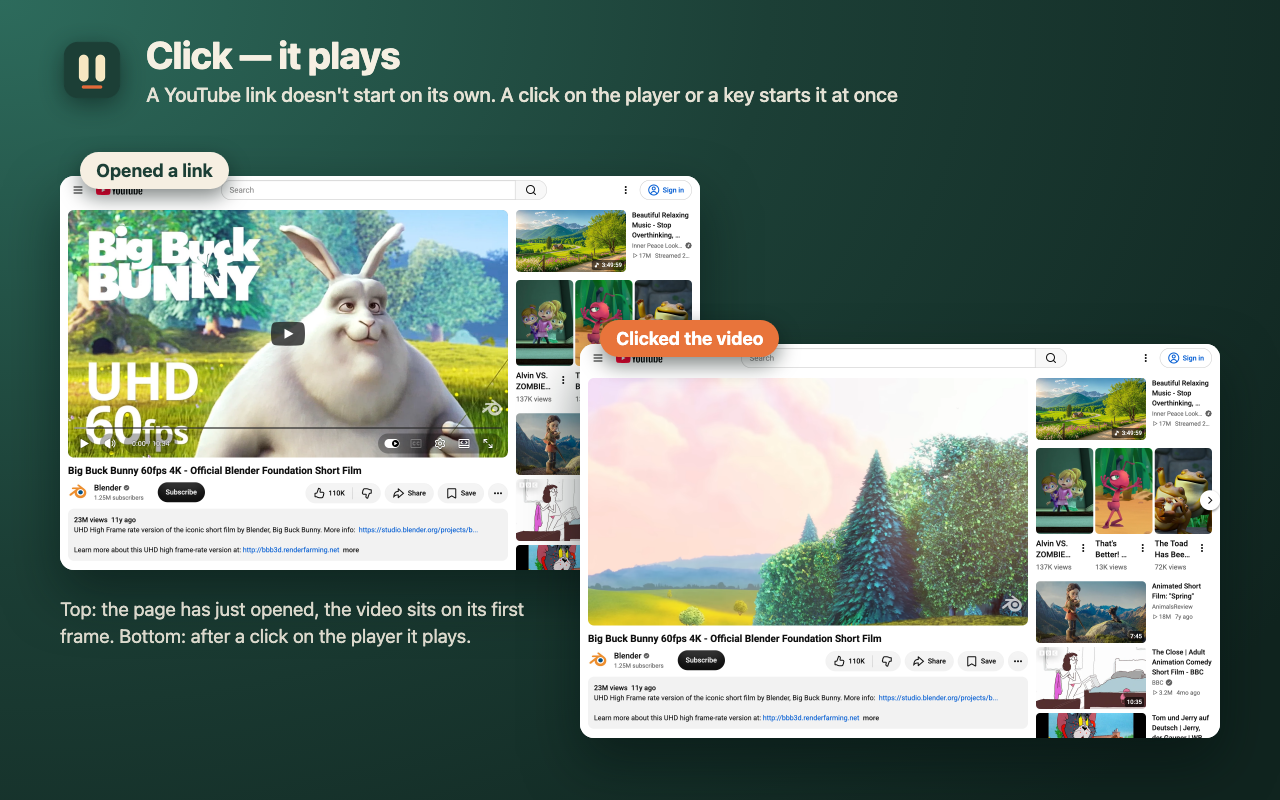
• A YouTube video opened from a link sits on its first frame.
• Once you pause a video, the site can't start it again on its own.

WHAT IT LEAVES ALONE
• A click on the player or its play button, or a key (Space, K), starts the video at once — inside embedded players too, and when the button is on the page while the player is in a frame.
• A video you started keeps playing when the site pauses and resumes it itself (e.g. around an ad break).
• Calls: other people's video and sound (WebRTC) are never stopped. Google Meet, Zoom, Teams and Jitsi are already in the exceptions, but calls work without them too — checked on a real Jitsi call with an empty exceptions list.
• Short notification sounds and ringtones (up to 20 seconds).
• A click on a cookie banner doesn't count as permission: the video behind it doesn't start.

HOW IT DIFFERS FROM BROWSER SETTINGS
• Chrome has no setting that stops muted clips, and it lets clips with sound play on sites where you often watch video or have already clicked.
• Firefox's "Block Audio and Video" lifts the block after your first click anywhere on the page. Click "Reject all" in YouTube's cookie dialog and the video starts with sound. Here only a click right before playback counts, and a pause you made stays paused.

POPUP
• How many videos and sounds were stopped in this tab (the number is also on the icon).
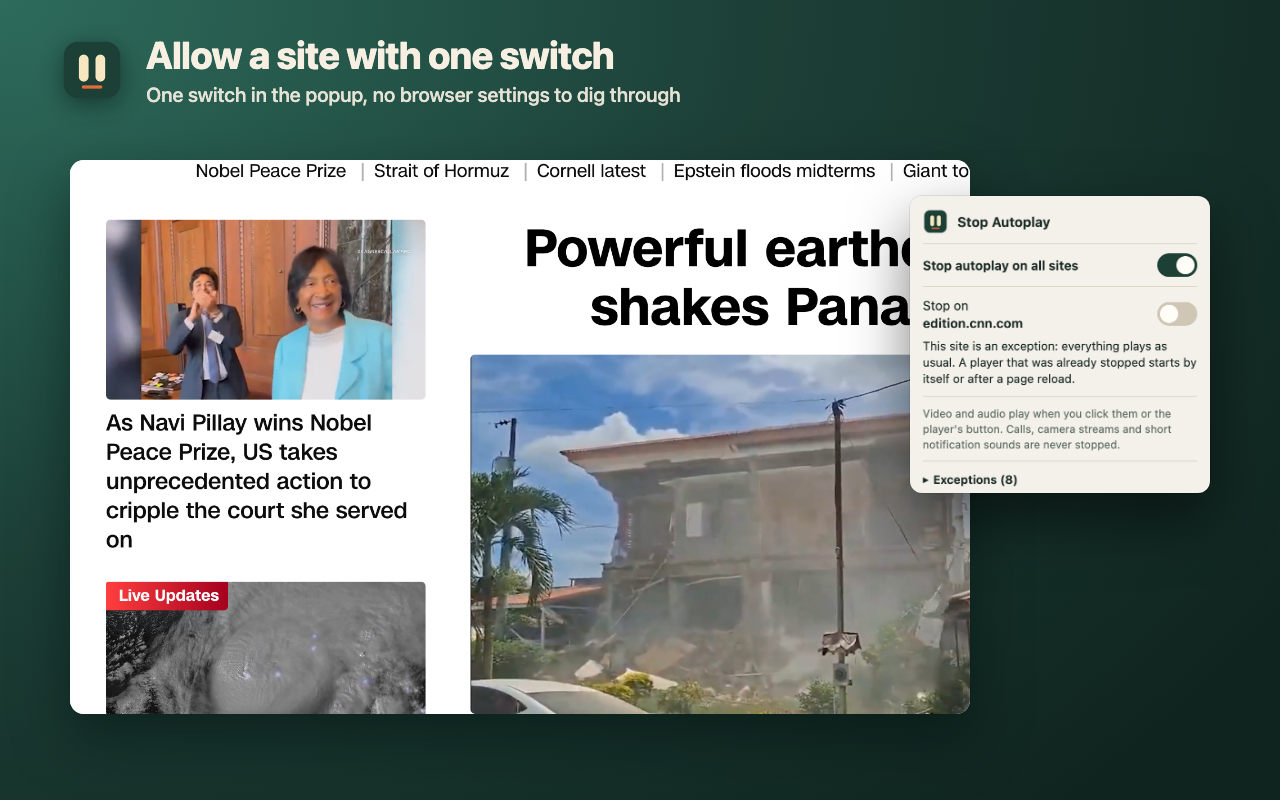
• A switch for the current site: allow its autoplay without a reload and without browser settings. A player that was already stopped starts by itself or after a page reload.
• A main switch and the exceptions list.

LIMITS
• Sound a site synthesizes itself with Web Audio (games, synths) is not stopped.
• A video that starts within a few seconds after your click counts as started by you.
• Previews on mouse hover wait for a click too; add the site to the exceptions if you want them.

PRIVATE
• No network, analytics, ads or sign-up. The extension sends nothing.
• It stores only the main switch and the exceptions list (site names you added), plus numbers for open tabs in the browser's memory, erased when the tab closes.
• It doesn't change volume and never reloads pages.

Interface in English and Russian.